


Using No-code Template Builders Effectively for Enterprise Workflow Automation and AI Governance
No-code template builders are increasingly adopted for enterprise workflow automation and AI governance. These platforms enable the configuration and deployment of applications and automated processes without extensive software development resources. Using visual, drag-and-drop interfaces, organizations can standardize procedures, reduce manual effort, and align implementations with governance requirements. This article examines the role of no-code template builders in workflow standardization, the governance frameworks that support their use, implementation benefits and limitations, and practical approaches for integrating these platforms with legacy systems.
What Are No-code Template Builders and Their Role in Enterprise AI Governance?
No-code template builders are software platforms that permit design and deployment of applications through visual interfaces and pre-built templates rather than hand-coded development. They accelerate solution delivery for specific business requirements while embedding configuration controls that support compliance. Within enterprise AI governance, these tools enable controlled automation of workflows and permit non-developer stakeholders to participate in digital initiatives under defined governance processes, thereby improving organizational agility without sacrificing oversight.
Defining No-code Template Builders in the Context of Enterprise Systems
Within enterprise IT environments, no-code template builders are engineered to interoperate with existing infrastructure and data sources. They provide composable components and a drag-and-drop design surface to accelerate application assembly and deployment at scale. Typical platform capabilities include connectors for data integration, API orchestration, and role-based access controls to ensure interoperability and maintain data integrity. Rapid development facilitated by these platforms supports faster time-to-value while preserving enterprise control mechanisms.
How Can Workflow Standardization Be Achieved Using No-code Template Builders?
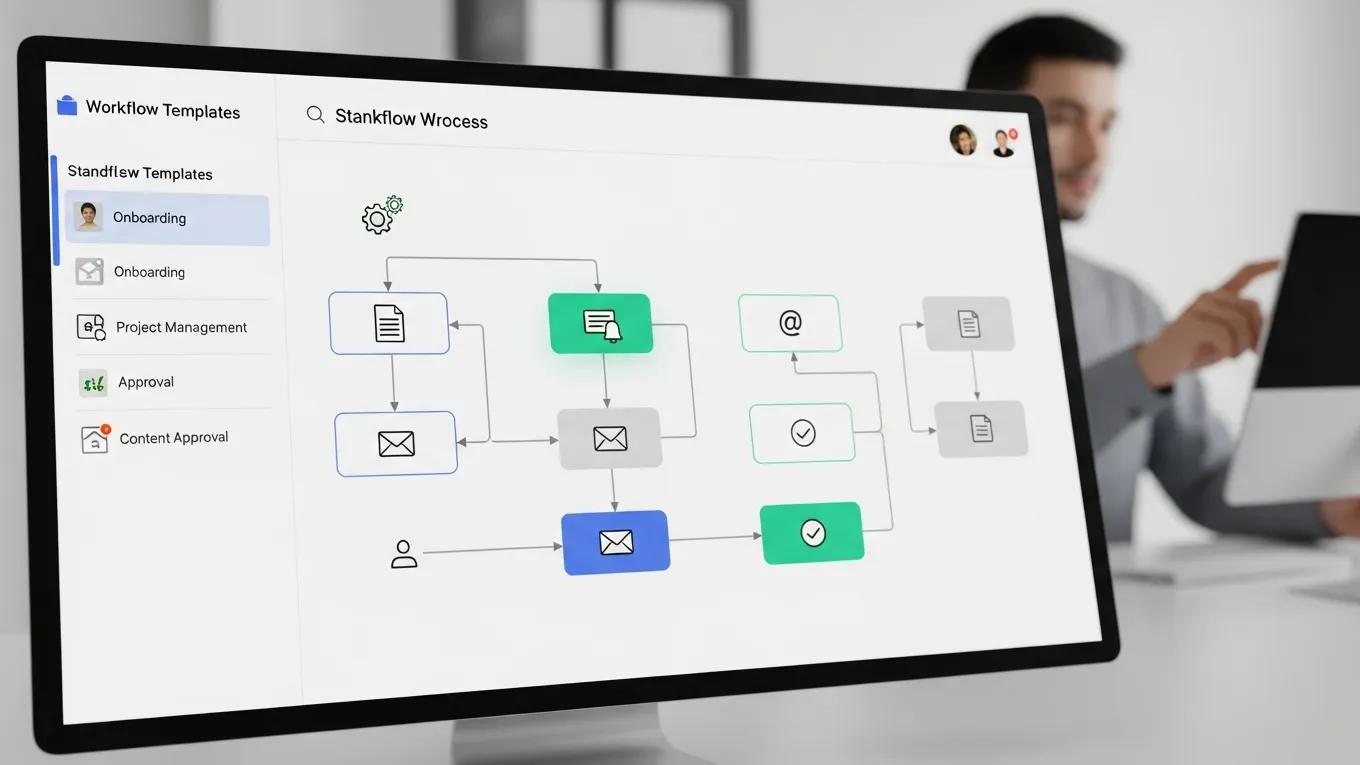
Workflow standardization reduces variability and operational risk across business units. No-code template builders support repeatable process models and version-controlled templates that can be deployed consistently across departments. Standard templates and centralized governance reduce handoffs, lower error rates, and enable measurable improvements in process throughput and compliance adherence.
Best Practices for Business Process Standardization with No-code Tools
To implement standardized workflows with no-code tools, organizations should apply structured governance, include cross-functional stakeholders in design, and maintain a continuous improvement discipline supported by metrics and feedback loops.
- Engagement of Non-Technical Staff: Involve team members from various departments in the design process to ensure that workflows meet the needs of all users.
- Continuous Improvement Processes: Regularly review and update workflows to incorporate feedback and adapt to changing business requirements.
- Utilization of Templates: Leverage pre-built templates to accelerate the development of standardized processes, ensuring consistency across the organization.
Applying these practices improves template quality, accelerates adoption, and enhances governance over standardized workflows.
Dr. George Dagliyan, an advisor on artificial intelligence governance and enterprise systems innovation, provides consulting to support implementation of no-code solutions and optimization of workflow automation strategies.
What AI Governance Frameworks Support No-code Template Builder Implementation?

AI governance frameworks establish policies, controls, and oversight mechanisms that ensure deployment of no-code template builders aligns with regulatory obligations and organizational risk tolerances. Such frameworks define roles, data stewardship, model validation procedures, and auditability requirements that collectively mitigate risks introduced by automation and AI-enabled components.
Further research highlights the necessity of governance and standardized frameworks to address emerging risks and vulnerabilities associated with AI-assisted and low-code/no-code development.
AI, Low-Code, No-Code: Governance, Risks, and Standardized Frameworks
The research addresses three key questions: (1) how AI-assisted and low-code development alter software vulnerabilities and accountability; (2) which governance and assurance mechanisms can mitigate emerging risks without undermining agility; and (3) how standardized frameworks can institutionalize quality and security in increasingly automated environments.
The Evolution of Coding in the Digital Transformation Era Cybersecurity Implications of Artificial Intelligence and Low-Code Development
Integrating Risk Management Strategies into Automated Workflows
Embedding risk management into automated workflows is essential to maintain compliance and protect enterprise assets. Effective integration requires structured identification of risks, incorporation of mitigation controls within templates, and the establishment of monitoring and escalation processes.
- Identifying Risks in Workflows: Conduct thorough assessments to identify potential risks associated with automated processes.
- Mitigation Strategies: Develop and implement strategies to address identified risks, ensuring that workflows remain compliant with governance standards.
- Monitoring and Evaluation: Continuously monitor automated workflows to evaluate their effectiveness and make necessary adjustments.
Embedding these risk management practices into no-code deployments strengthens governance and reduces the likelihood of process failure or non-compliance.
Which Enterprise No-code Platforms Optimize Digital Transformation Templates?
Enterprise no-code platforms differ by capability set, including template libraries, integration connectors, analytics, security controls, and scalability characteristics. Selection should be based on functional fit, integration requirements, compliance obligations, and total cost of ownership relative to the intended use cases.
Comparative Analysis of Leading No-code Workflow Automation Tools
The comparative summary illustrates differences in feature sets and cost positions among leading no-code platforms, enabling organizations to evaluate alignment with their digital transformation priorities.
What Are the Benefits and Challenges of Using No-code Template Builders in Enterprises?
No-code template builders can increase operational efficiency and reduce development expenditures by shifting effort from hand-coding to configuration. Nevertheless, implementation introduces challenges that require governance, scalability assessment, and performance validation.
Although no-code and low-code solutions enable rapid application development and increased agility, enterprise adoption is constrained by concerns related to scalability and performance in mission-critical, high-volume environments.
LCNC Platforms: Enterprise Adoption, Agility, and Scalability Challenges
Low-Code and No-Code (LCNC) development platforms have become ubiquitous, and are showing promise as a means of rapid application development, enabling business analysts, citizen developers, and professional software engineers to design, deploy and iterate on applications with little to no hand-coded effort. The growth in LCNC platforms has been impacted by the demand of enterprises to increase their delivery time when it comes to digital transformation, costs, and enhanced agility. Notwithstanding these, scalability and performance constraints have been identified as the primary obstacles to widespread acceptance in mission-critical, high-scale enterprise deployments.
Scalability and Performance Limitations of Low-Code and No-Code Platforms for Large-Scale Enterprise Applications and Solutions, SK Jangam, 2024
Measurable Outcomes from AI-driven Workflow Automation
Enterprises that implement AI-driven workflow automation report measurable improvements in throughput, cycle times, and user response rates. Commonly tracked indicators include task completion time, error incidence, and user experience metrics, which together inform return-on-investment calculations.
- Increased Efficiency Metrics: Streamlined processes lead to faster task completion and improved productivity.
- Cost Savings: Reducing reliance on traditional development methods can lower operational costs significantly.
- User Satisfaction Rates: Enhanced user experiences result from intuitive interfaces and faster response times.
These measurable outcomes indicate the operational impact that no-code template builders can deliver when deployed with appropriate governance and monitoring.
Mitigating Risks Associated with No-code Platform Adoption
Adoption of no-code platforms requires addressing security, compliance, and operational risks through formal assessment and controls. Key activities include security reviews, policy definition, and controlled deployment processes.
- Identifying Potential Risks: Assess the security and compliance implications of using no-code tools.
- Developing Mitigation Plans: Create strategies to address identified risks, ensuring that workflows remain secure and compliant.
- Continuous Monitoring: Implement ongoing monitoring processes to evaluate the effectiveness of risk management strategies.
Proactive risk mitigation and continuous monitoring enable organizations to realize benefits of no-code platforms while containing operational and compliance exposures.
How Are No-code Template Builders Integrated with Legacy Enterprise Systems?
Integration with legacy systems is a prerequisite for extracting full value from no-code template builders. Successful integration preserves existing system functionality while enabling new process automation and data flows.
Strategies for Seamless Integration of No-code Tools in Existing IT Infrastructures
Effective integration planning requires an inventory of integration points, a detailed implementation plan, and a testing regimen that validates data fidelity, security controls, and transactional behavior.
- Assessment of Current Systems: Evaluate existing IT infrastructures to identify integration points and potential challenges.
- Planning for Integration: Develop a comprehensive integration plan that outlines the steps required to connect no-code tools with legacy systems.
- Testing and Feedback: Conduct thorough testing of integrated systems to ensure functionality and gather user feedback for continuous improvement.
Adherence to these integration practices supports reliable deployment of no-code templates and minimizes disruption to operational systems.
Frequently Asked Questions
What types of businesses can benefit from no-code template builders?
No-code template builders are applicable across organizational sizes and industries. Enterprises and smaller organizations can use these platforms to automate standard processes where IT capacity is constrained. Sectors with structured workflows—such as healthcare, finance, retail, and education—frequently realize efficiency gains by deploying templated automation under centralized governance.
How do no-code template builders ensure data security and compliance?
Many no-code platforms incorporate native security controls, audit logging, and compliance features aligned with regulatory regimes such as GDPR and HIPAA. Organizations should enforce access control policies, encryption standards, and periodic audits to complement platform capabilities and maintain regulatory compliance.
Can no-code template builders be customized for specific business needs?
No-code template builders typically provide configuration options, template variation, and integration adapters that enable customization to business requirements. These capabilities allow organizations to construct tailored workflows, dashboards, and reports while maintaining governance and version control.
What are the common pitfalls to avoid when using no-code template builders?
Common pitfalls include insufficient governance, inadequate training, and uncontrolled proliferation of templates, which can produce inconsistent processes and data silos. Mitigation requires formal governance policies, user training programs, and periodic review to ensure solutions meet enterprise standards.
How can organizations measure the success of no-code implementations?
Success metrics should include operational KPIs such as task completion times, error rates, throughput, and user satisfaction scores, as well as financial measures such as development cost reductions and ROI. Regular measurement against these indicators provides objective insight into implementation effectiveness.
What support resources are available for users of no-code template builders?
Vendors commonly provide documentation, training materials, community forums, and direct support channels. Organizations should leverage these resources and establish internal knowledge bases and governance procedures to accelerate adoption and resolve implementation challenges.
Conclusion
No-code template builders enable streamlined enterprise workflow automation by reducing dependence on custom code and supporting standardized, repeatable processes. When integrated with legacy systems and governed by formal frameworks, these platforms can improve operational efficiency and compliance. Adoption should be guided by governance, risk management, and monitoring to ensure sustainable outcomes. Discover how our expert consulting services can help you implement no-code strategies effectively today.